A Realtor's Guide to Professional Photos for LinkedIn (2025)
In the world of real estate, your first impression is everything. Before you ever meet a client in person, they've likely looked you up online. Your LinkedIn profile often serves as that initial digital handshake, and at the center of it is your profile picture. Having high-quality, professional photos for LinkedIn isn't just a vanity metric; it's a critical component of your personal brand that communicates trustworthiness, competence, and attention to detail. A great photo invites connection, while a poor one can inadvertently signal that you're not serious about your business.
For busy real estate professionals, finding the time and budget for a traditional photoshoot can be a significant hurdle. Yet, the cost of not having a professional image is far greater. This guide will walk you through everything you need to know to get the perfect LinkedIn profile photo—from lighting and attire to modern, efficient solutions that can give you a studio-quality look in minutes. We'll cover the dos and don'ts, explore different styles, and show you how to present the best possible version of yourself to potential clients and colleagues.
Quick Summary
- First Impressions Matter: Your LinkedIn photo is a foundational element of your professional brand, directly impacting how potential clients and partners perceive your credibility.
- Master the Basics: The best professional LinkedIn images rely on simple principles: good lighting (soft, natural light is best), a clean and uncluttered background, and professional attire that reflects your brand.
- Avoid Common Pitfalls: Steer clear of selfies, busy backgrounds, outdated photos, and heavy-handed editing. These common mistakes can undermine your professionalism.
- Embrace Modern Technology: Getting professional headshots no longer requires an expensive, time-consuming photoshoot. AI-powered services offer a fast, affordable, and high-quality alternative.
- Authenticity Builds Trust: Your expression should be genuine and approachable. A warm, confident smile makes you more relatable and encourages connection.
Why Your LinkedIn Profile Photo is Your Most Important Digital Handshake
In an industry built on relationships and trust, your LinkedIn profile photo is more than just a picture; it's a strategic business asset. Think of it as the cover of your professional story. Before a potential client reads your bio, scrolls through your listings, or looks at your recommendations, they see your face. This single image instantly sets the tone for their perception of you. A clear, professional, and friendly photo builds an immediate sense of connection and credibility.
Profiles with professional photos get significantly more engagement. According to LinkedIn's own data, profiles with a photo receive up to 21 times more views and 9 times more connection requests than those without. In a competitive market like real estate, this increased visibility is a massive advantage. It means more opportunities for networking, more inbound leads, and a stronger position as a knowledgeable agent in your area. Your photo is the gateway to these opportunities.
Furthermore, a high-quality headshot demonstrates a commitment to your professional brand. It shows that you invest in the details and present yourself with the same care and excellence that you would apply to a client's property transaction. It communicates that you are an established, serious professional. Conversely, a low-quality photo—or no photo at all—can raise questions about your legitimacy or dedication. It can make you seem out-of-touch or less engaged than your competitors. In essence, your LinkedIn photo isn't just about looking good; it's about building the foundational trust necessary to succeed in real estate.
Setting the Scene: Choosing the Perfect Background for Your Headshot
The background of your LinkedIn photo plays a crucial supporting role. While you are the main subject, the background can either enhance your professional image or become a major distraction. The goal is to choose a setting that keeps the focus squarely on you. The most effective backgrounds are simple, clean, and uncluttered.
Solid, neutral colors are a timeless choice. Shades of gray, white, or muted blues create a professional and clean look without competing for attention. A lightly textured wall can also work well, adding a bit of depth without being distracting. This is the standard for most corporate headshots for a reason—it's effective, versatile, and always looks professional. Avoid standing directly against a plain white wall, as it can sometimes look too stark, like a passport photo. Instead, a light gray or off-white often appears more sophisticated.
Another popular option is to use your work environment, but with a caveat. If you're in a beautifully designed office, you can use it as a background, but it's essential to use a shallow depth of field to blur it out. This technique, known as bokeh, keeps you in sharp focus while rendering the background as a soft, non-distracting wash of color and shape. It adds context and personality without creating visual clutter. An outdoor setting can also work if chosen carefully. A park or urban landscape can convey a more approachable vibe, but you must ensure the background isn't too busy and that the lighting is flattering.
Dress for Success: What to Wear for Professional LinkedIn Images

Your choice of attire in your LinkedIn profile photo speaks volumes about your professional identity. The key is to dress in a way that aligns with your personal brand and resonates with your target clientele. For real estate agents, this means striking a balance between professionalism and approachability. You want to look like a successful expert your clients can trust with their largest financial asset.
Solid colors are almost always the best choice. Jewel tones like navy blue, emerald green, and burgundy are flattering on most skin tones and photograph well. Neutral colors like gray, black, and beige are also safe and professional options. It's best to avoid busy patterns, large logos, or distracting prints, as they can draw attention away from your face. Similarly, avoid wearing colors that are too close to your skin tone, which can make you look washed out. The goal is a clean, polished appearance.
Consider the classic real estate uniform: a well-fitted blazer or suit jacket. This is a powerful signal of professionalism. For men, a suit jacket over a collared shirt is a can't-miss option. A tie is optional and depends on your market; a more corporate or luxury market might call for one, while a more relaxed market may not. For women, a blazer, a tailored blouse, or a structured dress are excellent choices. The most important rule is that your clothes should be clean, pressed, and fit you well. Wrinkled or ill-fitting clothes can make you look sloppy and unprepared, undermining the professional image you're trying to project.
Finally, don't forget grooming. Your hair should be neat and styled. If you wear makeup, keep it natural and professional. Accessories should be minimal and tasteful—a simple watch or a classic pair of earrings can add a touch of elegance, but avoid anything too flashy or distracting. The entire package should communicate that you are polished, professional, and ready for business.
The Magic of Light: Simple Lighting Techniques for Flattering Photos
Lighting is arguably the most critical technical element of a great headshot. The right light can make you look vibrant, healthy, and engaging, while poor lighting can create harsh shadows, hide your features, and make the photo look amateurish. You don't need a professional studio with complex equipment to achieve fantastic results; you just need to understand a few basic principles.
Natural light is your best friend. The soft, diffused light from a window is incredibly flattering and costs nothing. To use it effectively, position yourself facing the window, allowing the light to illuminate your face evenly. This setup will create a beautiful catchlight in your eyes, making them appear brighter and more expressive. Avoid standing with the window behind you, as this will backlight you, throwing your face into shadow and creating a silhouette effect. If the direct sunlight is too harsh, you can wait for a slightly overcast day or hang a thin white sheet over the window to diffuse the light.
If you're taking photos indoors without a good natural light source, a simple ring light is an affordable and highly effective tool. These lights provide even, direct illumination that minimizes shadows and creates a professional, polished look. Position the ring light directly in front of you at eye level. Many ring lights allow you to adjust the color temperature, so you can choose a warmer or cooler tone to best match your skin tone and the ambient light.
What you want to avoid at all costs is direct overhead lighting, such as the recessed lights found in many homes and offices. This type of lighting creates unflattering shadows under your eyes, nose, and chin, often called "raccoon eyes." Similarly, be wary of taking photos in the middle of the day outdoors when the sun is directly overhead, as it produces the same harsh effect. For outdoor shots, the best times are during the "golden hour"—the first hour after sunrise and the last hour before sunset—when the light is soft, warm, and angled beautifully.
Common Mistakes That Weaken Your LinkedIn Profile Photo (And How to Fix Them)
Even with the best intentions, it's easy to make small mistakes that can significantly detract from the professionalism of your LinkedIn profile. Being aware of these common pitfalls is the first step toward creating an image that truly represents you at your best. Here are some of the most frequent errors and how to avoid them.
The Selfie: While great for Instagram, a selfie is a major misstep for a professional LinkedIn photo. The angle is often distorted from holding the camera at arm's length, the lighting is rarely ideal, and it simply looks unprofessional. The Fix: Ask a friend or family member to take the photo for you, or use a tripod with a timer. This simple change instantly elevates the quality and professionalism of the shot.
A Busy or Distracting Background: A photo taken at a party, on vacation, or with a cluttered room in the background screams amateur. Your background should be neutral and non-distracting so that the focus remains on you. The Fix: Choose a simple, solid-colored wall, a professional office setting (blurred), or a clean outdoor space. When in doubt, simpler is always better.
An Outdated Photo: Using a photo that is five, ten, or even twenty years old is misleading. When a client meets you in person, you want them to recognize you. An old photo can create a moment of awkwardness and subtly erode trust from the very beginning. The Fix: Update your headshot every 2-3 years, or anytime you have a significant change in your appearance (e.g., new hairstyle, glasses).
Poor Image Quality: A blurry, pixelated, or poorly lit photo suggests a lack of attention to detail. In the age of high-resolution smartphone cameras, there's no excuse for a low-quality image. The Fix: Ensure your photo is taken with a good camera in good lighting. The final image should be sharp, clear, and high-resolution.
Over-Editing or Unnatural Filters: While minor touch-ups are acceptable, heavy-handed editing or trendy filters have no place on LinkedIn. Your photo should be an authentic representation of you. The Fix: Use editing software sparingly to make minor adjustments to brightness, contrast, or to remove a temporary blemish. Keep it natural.
The Modern Solution: Getting Studio-Quality Headshots with AI
Traditionally, getting a set of professional headshots meant finding a photographer, scheduling a session, and paying hundreds of dollars for a handful of images. For busy real estate agents, this process can be both time-consuming and expensive. Fortunately, technology has provided a powerful and efficient alternative: AI-powered headshot generators.
These innovative platforms are changing the game for professionals who need high-quality images quickly and affordably. One of the leading services tailored specifically for the real estate industry is Realtorheadshot.com. This service addresses the core challenges that agents face when seeking professional photos for LinkedIn and other marketing materials. RealtorHeadshot.com offers a fast and affordable solution for realtors to obtain high-quality studio headshots using AI technology. In just 5 minutes, users can receive 100 professional headshots, significantly reducing the time and cost compared to traditional photography methods.
The process is incredibly simple. You upload a few casual selfies, and the AI gets to work. It analyzes your facial features and then generates a wide variety of studio-quality headshots. You can get images with different outfits, backgrounds, and expressions, giving you a diverse portfolio of options to use across all your professional platforms. This service provides realtors with quick and cost-effective access to professional headshots, enhancing their marketing efforts. With features like 100 realtor headshots in 5 minutes at a cost that is often 10x less than traditional photography, it's an accessible solution for any agent looking to elevate their brand.
Using a service like Realtorheadshot.com not only saves time and money but also provides a level of consistency and quality that can be difficult to achieve with a DIY approach. You get the polished look of a professional studio shoot without ever having to leave your office. It's a perfect solution for agents who need to update their look, create a consistent brand image, or simply get a fantastic headshot without the traditional hassle.
Beyond the Smile: The Power of Facial Expressions
Your facial expression is the emotional core of your headshot. It's what transforms a simple picture into a tool for connection. The right expression can make you appear approachable, confident, and trustworthy—all essential qualities for a real estate agent. The goal is to strike a balance that feels both professional and genuinely you.
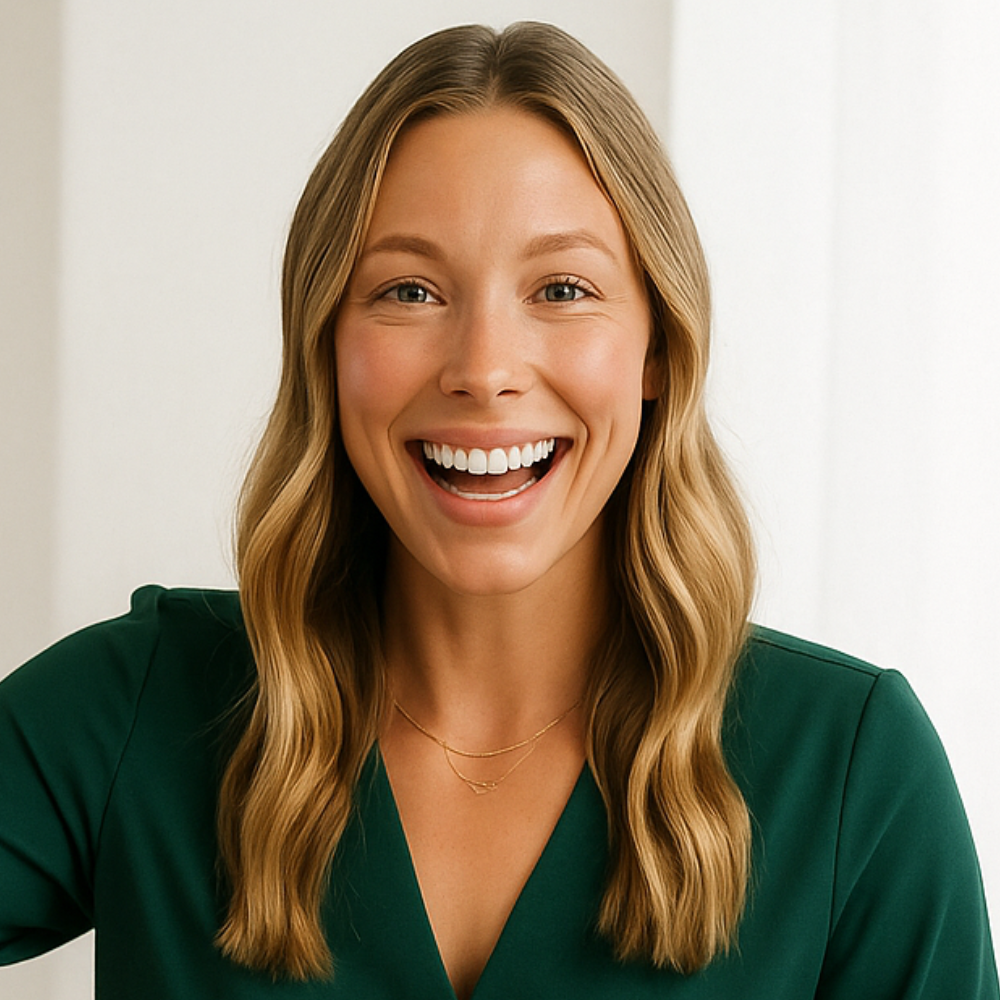
A warm, genuine smile is almost universally the best choice for a LinkedIn profile photo. A real smile, known as a Duchenne smile, involves not just the mouth but also the muscles around the eyes. It makes you look friendly and trustworthy. To achieve this, think of something that genuinely makes you happy or proud right before the photo is taken. This will help your smile feel natural rather than forced. A closed-mouth smile can also work well, conveying a sense of calm confidence and authority.
Direct eye contact with the camera lens is non-negotiable. This creates a sense of direct engagement with the viewer, as if you are looking right at them. It helps to build an immediate rapport and holds their attention. Avoiding eye contact can make you seem distant, shy, or even untrustworthy. Think of the camera as a potential client you are meeting for the first time and look at it with focus and warmth.
It's also helpful to practice in front of a mirror to find your most flattering angles and expressions. Everyone has a "good side," and tilting your head slightly can often create a more dynamic and engaging portrait than a straight-on shot. Experiment with different subtle expressions to see what feels most authentic. Your headshot should capture your professional persona, but it should still look and feel like you.
Studio vs. Lifestyle: Which Photo Style is Right for You?

When it comes to professional photos, there are two primary styles to consider: the classic studio headshot and the more modern lifestyle shot. Each has its own set of advantages and is suited for different branding goals. Understanding the difference can help you choose the style that best represents you and your real estate business.
The Classic Studio Headshot
This is the traditional choice for professional LinkedIn images. Taken against a simple, neutral background with controlled studio lighting, this style is clean, polished, and direct.
- Pros: It's incredibly versatile and can be used across all professional platforms, from LinkedIn to your business card to company websites. The controlled environment ensures perfect lighting and a distraction-free background, putting all the focus on you. It conveys a strong sense of professionalism and authority.
- Cons: For some, it can feel a bit too formal or corporate. If your brand is more casual and personality-driven, a stiff studio shot might not feel authentic. It can also be the more expensive option if you're hiring a professional photographer.
The Lifestyle Headshot
Lifestyle shots are taken in a real-world environment, such as your office, a neighborhood you specialize in, or in front of a beautiful home. The goal is to capture you in your element and tell more of a story.
- Pros: This style can make you seem more approachable, authentic, and relatable. It allows you to inject more personality into your brand and visually connect yourself to your work. A well-executed lifestyle shot can be very dynamic and engaging.
- Cons: These are much harder to get right. Uncontrolled lighting, busy backgrounds, and awkward poses can quickly make the photo look unprofessional. It requires a skilled photographer to balance the environment with a professional look. This style is often better suited for your website or social media content rather than your primary LinkedIn profile picture.
For most real estate agents, the best strategy is to use a professional studio headshot as your main LinkedIn profile photo. It's the safest and most professional choice. You can then use lifestyle photos on other platforms or within your LinkedIn banner to showcase your personality and work environment.
Enhancing Your Image: Simple Editing Tips for a Polished Look
Post-processing is a standard step in all professional photography. A few simple edits can elevate a good photo to a great one by making subtle enhancements that create a more polished and professional final image. The key is to keep the edits minimal and natural. Your goal is to look like the best version of yourself, not like a completely different person.
Start with the basics. Most photo editing apps and software, including the ones built into your smartphone, allow you to adjust brightness, contrast, and saturation. If your photo is a little too dark, slightly increasing the brightness can make a big difference. Adjusting the contrast can make the image pop, but be careful not to overdo it, as too much contrast can look harsh. A slight boost in saturation can make colors more vibrant, but again, subtlety is key to avoid an unnatural look.
Next, consider minor retouching. It's perfectly acceptable to remove a temporary blemish, soften minor wrinkles, or slightly whiten your teeth. Many apps have tools specifically for this. The goal is to correct small imperfections, not to alter your fundamental appearance. Think of it as the digital equivalent of putting on a little concealer before an important meeting. Avoid any tools that drastically change the shape of your face or smooth your skin to the point where it looks like plastic.
Finally, cropping your photo correctly is a crucial editing step. For LinkedIn, your photo should be a head-and-shoulders shot where your face takes up about 60% of the frame. Crop the image to eliminate any unnecessary background space and to position your face correctly within the frame. This ensures that even when your photo appears as a small thumbnail, your face is clearly visible and recognizable.
The Bottom Line: How Your Photo Impacts Networking and Opportunities
Your investment in a professional LinkedIn photo pays dividends in tangible business opportunities. It's not just about aesthetics; it's about the psychology of networking and client acquisition. In a digital-first world, your profile picture is a powerful tool for opening doors and building the relationships that fuel a successful real estate career.
Recruiters and brokers often use LinkedIn to find new talent. A professional, high-quality photo signals that you are a serious candidate who pays attention to detail and understands the importance of personal branding. It makes your profile more compelling and memorable, increasing the likelihood that they will reach out to you with opportunities. It shows you're invested in your career and ready to engage at a professional level.
For client-facing interactions, the impact is even more direct. When potential buyers or sellers are researching agents, they are looking for someone they feel they can trust. A warm, confident, and professional photo helps to build that trust before you've even spoken. It makes you more approachable and encourages them to take the next step and contact you. People are more likely to connect with and respond to someone they can see, and a great photo makes that initial connection a positive one.
Ultimately, your LinkedIn photo is a constant, silent ambassador for your brand. It works for you 24/7, shaping perceptions and influencing decisions. By ensuring it's a professional and authentic representation of you, you are actively investing in your reputation and creating a solid foundation for future networking success and business growth.
Frequently Asked Questions
What is considered a professional photo for LinkedIn?
A professional photo for LinkedIn is a high-quality headshot where you are the sole subject. It should be a recent photo that clearly shows your face, typically from the shoulders up. Key elements include good, soft lighting, a simple and uncluttered background, professional attire that reflects your industry, and a friendly, approachable expression. The image should be sharp and in focus, not blurry or pixelated.
How to make a photo look professional for LinkedIn?
To make a photo look professional, start by ensuring the technical basics are covered: use a high-resolution camera, find good natural light by facing a window, and choose a neutral background. Dress as you would for an important business meeting. Have someone else take the photo for you to avoid the unprofessional look of a selfie. During editing, make minor adjustments to brightness and contrast, and crop the image so your face fills about 60% of the frame.
What kind of photo works best on LinkedIn?
The photo that works best is a headshot that is both professional and authentic. A warm, genuine smile is highly effective at making you seem approachable and trustworthy. The background should be simple to keep the focus on you. While a studio-style photo with a solid background is a classic and safe choice, a well-executed lifestyle shot with a blurred office background can also work, especially if it aligns with your personal brand.
How much should a LinkedIn headshot cost?
The cost can vary widely. A traditional photoshoot with a professional photographer can range from $200 to over $1,000, depending on the photographer's experience and the package you choose. However, modern alternatives have made professional headshots much more accessible. For example, AI-powered services like Realtorheadshot.com offer a large number of high-quality, studio-style headshots for a fraction of the cost, with packages often under $50. This provides a cost-effective solution without compromising on quality.
Conclusion
Your LinkedIn profile is one of the most powerful tools in your professional arsenal, and your profile photo is its cornerstone. It's the first thing potential clients, partners, and colleagues see, and it instantly shapes their impression of you. By investing in a high-quality, professional photo, you are investing in your brand, building trust, and opening the door to new opportunities. From understanding the nuances of lighting and background to choosing the right attire and expression, every detail contributes to an image that conveys competence and credibility.
Remember that getting professional photos for LinkedIn no longer needs to be a complicated or expensive endeavor. While traditional photography remains a valid option, modern solutions have made it easier and more affordable than ever to achieve a polished, studio-quality look. What matters most is that your photo is a current, authentic, and professional representation of who you are.
For real estate professionals ready to upgrade their online presence without the hassle of a traditional photoshoot, Realtorheadshot.com offers a fast, affordable, and high-quality solution. You can get started today and have a portfolio of professional images ready to elevate your brand.